
Sesame Robot Project
Sesame is an open-source, 3D-printable quadruped robot built around the ESP32. Eight servos, a 128x64 OLED face, a Wi-Fi control panel and JSON API, and about $50 to $60 in parts.
dorianborian/sesame-robotCAD, STLs, firmware, Sesame Studio, build and wiring guidesView repositoryOverview
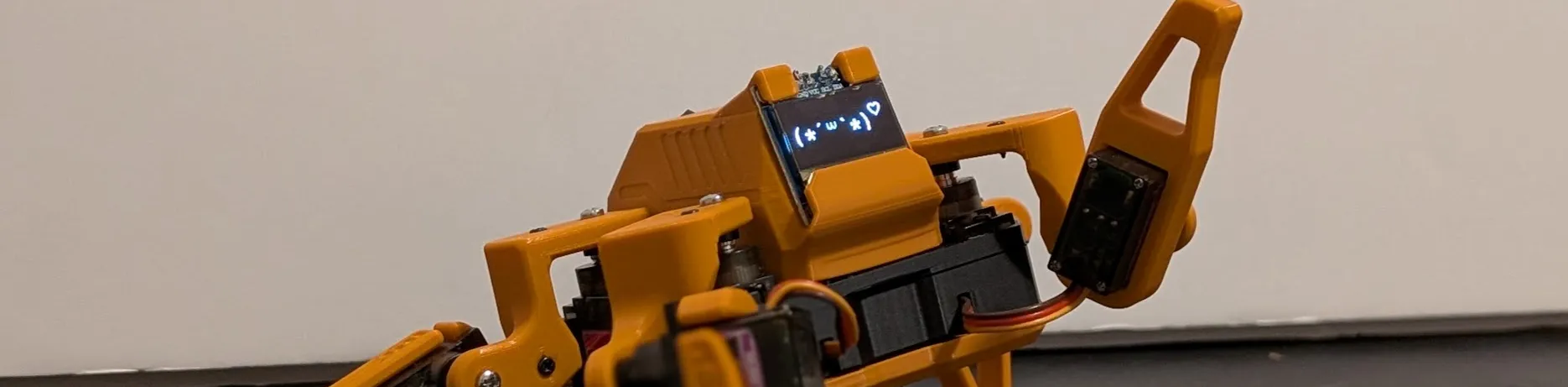
Sesame is an open-source walking robot for makers and engineers of every skill level. It’s small, it’s expressive, and it’s cheap enough that building one is a weekend project rather than a financial decision: about $50 to $60 in parts, a 3D printer, some basic soldering, and the Arduino IDE.
It’s also grown well past the robot I launched in February 2026. The repository has passed 4,000 stars and roughly 600 forks, there’s a community on Discord, pre-flashed build kits, a physics simulator and machine-learning tooling contributed by other people, and a companion app that turns Sesame into a voice assistant with a face.
Why I built it
It started in December 2025, during a classic late-night doomscrolling session. I found a video of an adorable little quadruped on Bilibili: small, expressive, and clearly a blast to play with. I wanted one immediately.
The source files were locked behind a region wall. I couldn’t download them without a verified Chinese account, and I wasn’t flying overseas for some STLs. So I designed my own from scratch, with three rules:
- Keep it affordable. The whole bill of materials stays around $50 to $60.
- Make it expressive. It needs a face and a personality, not just legs.
- Open source everything. No region locks, no paywalls. Sesame is Apache 2.0.
I’d built complex robots before, like red.HEX, my 18-servo hexapod, but that project was expensive and a nightmare to assemble. Sesame was meant to be the opposite.
What Sesame is
| Part | Details |
|---|---|
| Controller | ESP32: Lolin S2 Mini for DIY builds, or the Sesame Distro Board V3 |
| Motion | 8 MG90 180 degree servos, two per leg |
| Face | 128x64 OLED that reacts and animates in sync with movement |
| Frame | Fully 3D printable in PLA with minimal supports |
| Power | 5 V at 3 A: USB-C PD, or a battery and buck converter (V3 supports the Bambu Lab 14500 7.4 V pack) |
| Control | Built-in web UI, JSON API over Wi-Fi, and a serial command line |
| Cost | About $50 to $60 in parts |
It walks, turns, waves, dances, points, rests, does push-ups and the worm, and judges you silently with pixelated eyes.
Hardware design iterations
Designing a robot that walks is tricky. Designing one that’s small, cheap and easy to print is a different headache.
My first concept in Fusion 360 had three servos per leg. It had more freedom of movement, but it looked like a spindly spider and blew the budget. I simplified to two servos per leg, one for the hip and one for the knee, and it’s been that way since.
I spent a lot of time making the parts print without supports. The femur links, for example, have squared-off sections instead of rounded ones purely so they lie flat on the bed. The inside of the body is packed tight: a battery, a controller and a nest of wires in a box about the size of a bar of soap. By launch the CAD was on its 71st version.
Along the way I got in touch with Petoi, who make excellent robot dogs. They sent over some higher-end actuators, which led to an experimental fork, Sesame Pro, with legs that accept wheels and better motors without changing the core body. Since then I’ve also started Sesame Robot Micro, an even smaller experimental build with a Seeed XIAO ESP32-C6 Wi-Fi bridge. Unlike the main project it’s deliberately rough: fast iteration first, polish later.
Electronics and the distro board
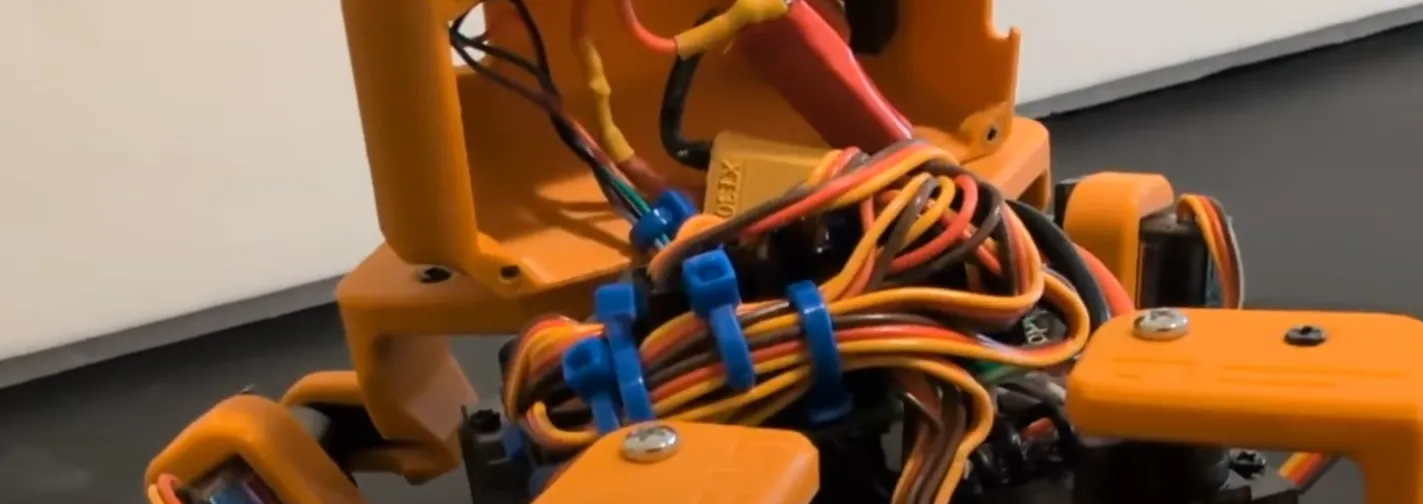
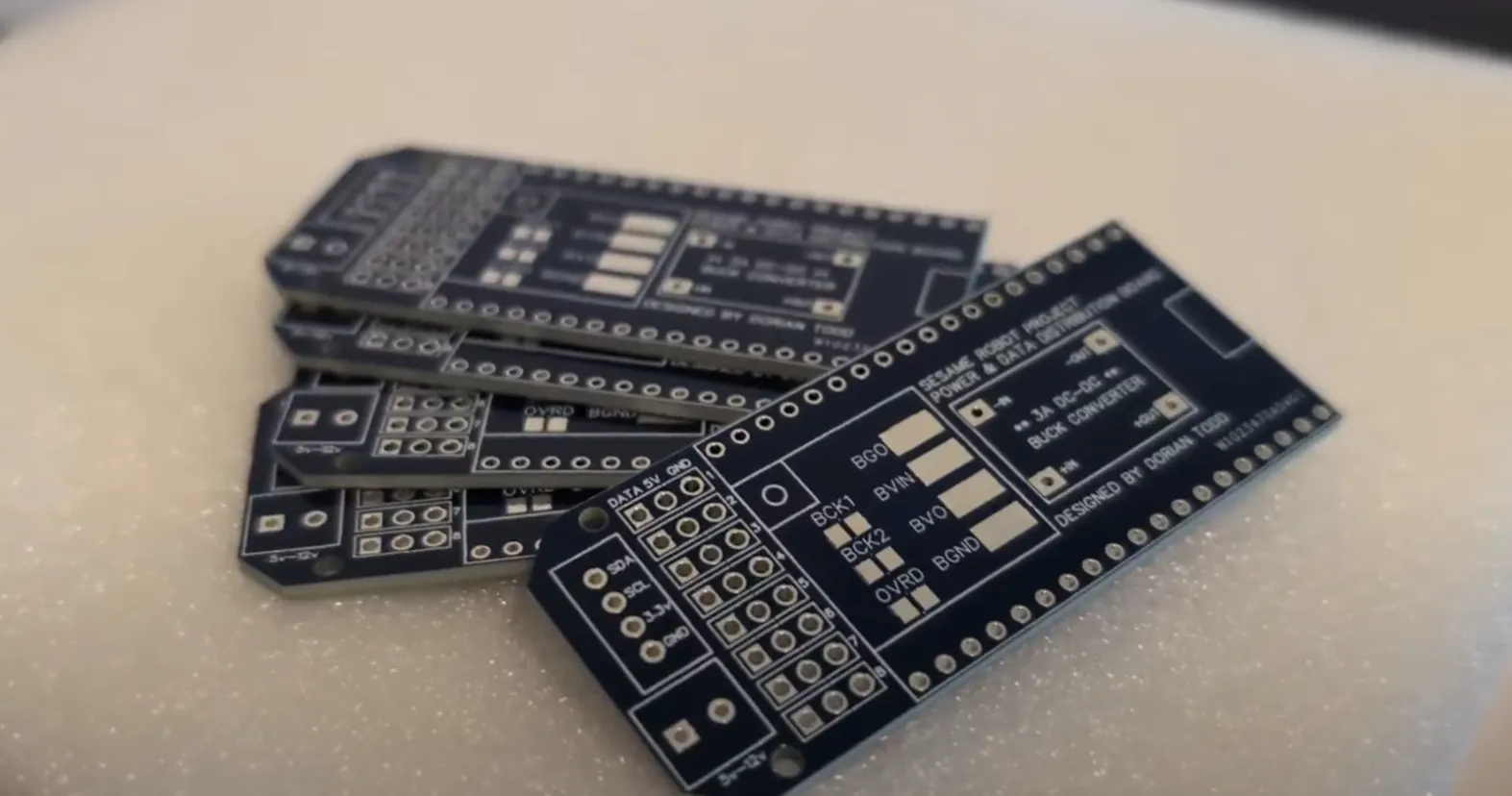
The first working Sesame used an ESP32-S2 Mini on perfboard. It worked, but the inside was a bird’s nest of silicone wire, and asking other people to replicate that felt cruel. So I designed the Sesame Distro Board, a PCB that breaks out all eight servo channels, the I2C bus for the OLED, and power distribution.
The board has been through a few revisions:
- Distro Board V3 is the current version. It’s pre-flashed with the latest firmware and supports the Bambu Lab battery.
- V2 was USB-C only and is now legacy.
- V1 was a hat for an ESP32-DevKitC-32E and is also legacy.
- Lolin S2 Mini hand-wired builds are still fully supported, and recommended if you’re building from scratch.
Powering eight servos at once is the classic trap: if they all move together, the current spike browns out the ESP32 and the robot reboots. The firmware staggers motor activation, and the delay is exposed as motorCurrentDelay in the web settings, so if your supply is marginal you can raise it without touching code.
Firmware, faces and the API
A robot is a plastic brick until you give it code, and I wanted Sesame’s to need no app store and no Bluetooth pairing.
Out of the box the robot creates its own access point. Connect a phone to it and a captive portal pops up with the controller: walk, turn, trigger emotes, and adjust settings like calibration and speed. Turn on network mode and Sesame joins your Wi-Fi instead, reachable at http://sesame-robot.local.
That network mode is also where the JSON API lives. GET /api/status reports the robot’s state and current face, and POST /api/command takes a movement command, a face, or both, so anything that can make an HTTP request can drive it: Python scripts, JavaScript, home automation. The same commands work over a serial command line for bench testing.
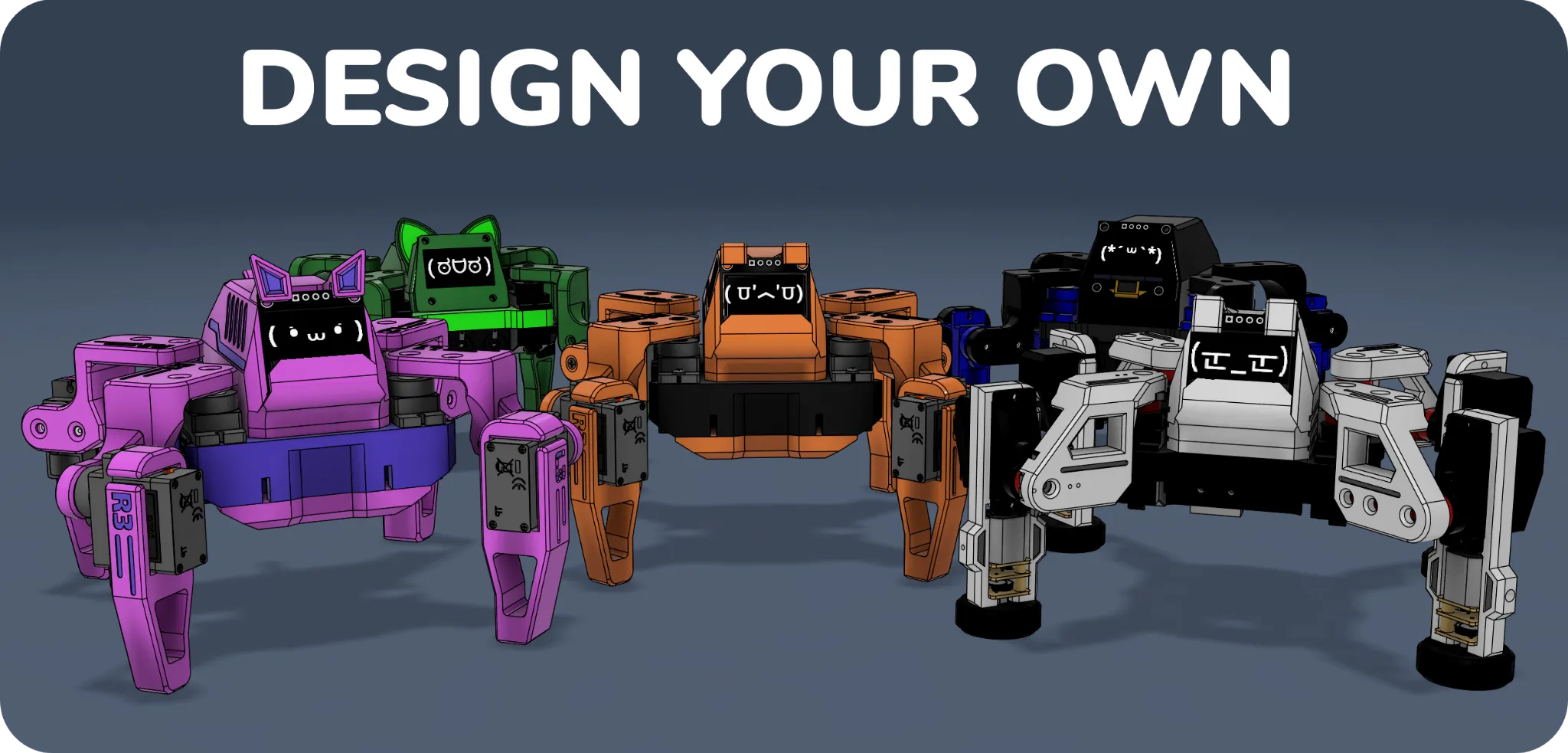
The face is a big part of Sesame’s personality. Every emote has matching frames on the OLED, from walk and dance to dead and worm, plus an idle animation that blinks on its own. There’s also a set of conversational faces, happy, sad, angry, surprised, sleepy, love, excited, confused and thinking, each with a talk_ variant so the mouth moves while it speaks. Faces are plain 128x64 bitmaps generated with image2cpp, so adding your own is straightforward.
Sesame Studio
Writing robot animations by hand is painful: set servo 3 to 45 degrees, no, 60. I got tired of guessing and wrote Sesame Studio, a desktop app with a schematic of the robot. You pose the legs visually, capture frames, sequence them into an animation, and it generates the C++ servo angles for the firmware. It turns animation into a stop-motion workflow, and it lives in software/sesame-studio in the repository.
Community projects
Sesame has grown an ecosystem around it, and the parts other people built are the ones I’m proudest of:
- Sesame Companion App: a Python app that uses the JSON API for voice assistant integration, remote control from anywhere on your network, and faces that change with the conversation.
- Sesame Simulator by Jay Li: a Rust-based physics simulation that runs in the browser, built on an accurate URDF of the robot, for testing gaits and kinematics without hardware.
- Sesame ML tools by Luke Hollis: a printable, CAD-derived MJCF and URDF description, tasks like standing, recovery, commanded locomotion and navigation, and a policy evaluation and reinforcement learning fine-tuning setup.
Build your own
Everything is in the repository: CAD and STLs, firmware, Sesame Studio, the bill of materials, and printing, build and wiring guides. There’s a full build tutorial on YouTube too.
- Gather parts. Eight MG90 servos, an S2 Mini or a Distro Board, the OLED, and a power source. The BOM has everything.
- Print the frame. PLA, minimal supports, about an afternoon.
- Build and wire it. Follow the build and wiring guides, or use a Distro Board for an easy time.
- Flash the firmware. Arduino IDE with the ESP32 boards package. Use
ESP32Servoversion 3.0.9: newer releases have a bug where writing one servo can move others. Distro Board kits come pre-flashed. - Make it yours. Create animations in Sesame Studio, add faces, or script it over the API.
If you’d rather skip sourcing parts, build kits are available through Full Contact Engineering when a round is open.
Sesame is meant to be a foundation. Pull requests for better kinematics, new animations, a nicer web UI, and sensor support are very welcome, and I love seeing forks with new hardware and faces. If you build one, come show it off on Discord.